System Monitor

CPU, memory, temperature, and resource monitoring. 82 plugins competed this week. This page shows the champion and runner-up.

Share this ranking on X
01 ChampionVerified
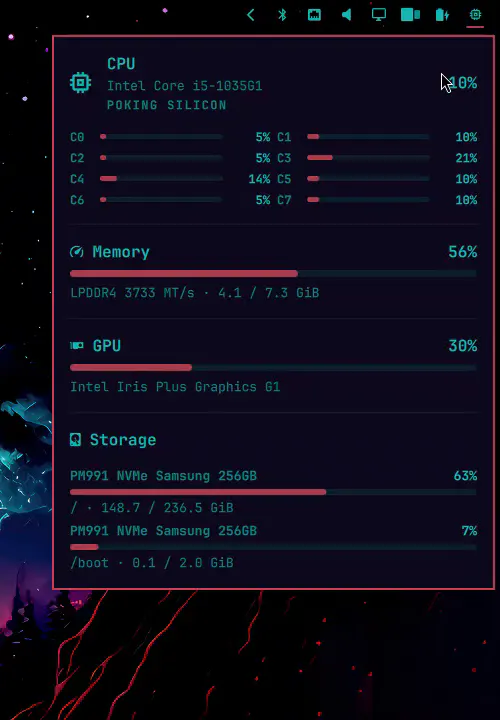
Hardware Tooltip preview

Hardware Tooltip

It won mainly because more people copied the install command, and it received more marketplace hearts.

Omarchy-native click panel that names your CPU, RAM, GPU, and disks, then shows live load bars that follow the theme

omarchy plugin add https://github.com/IM0001GT/omarchy-hw-tooltip.git --enable

A ranking is not an endorsement or a safety review. Inspect the plugin yourself and install it at your own risk. Read the full note

For plugin authors

Copy this markdown into your README to show that you won this category this week.

OmaPicks System Monitor champion: Hardware Tooltip
[![OmaPicks System Monitor champion](https://omapicks.com/badges/2026-W36/system-monitor/im0001gt.hw-tooltip.svg)](https://omapicks.com/picks/system-monitor/)
02 Runner-upCommunity
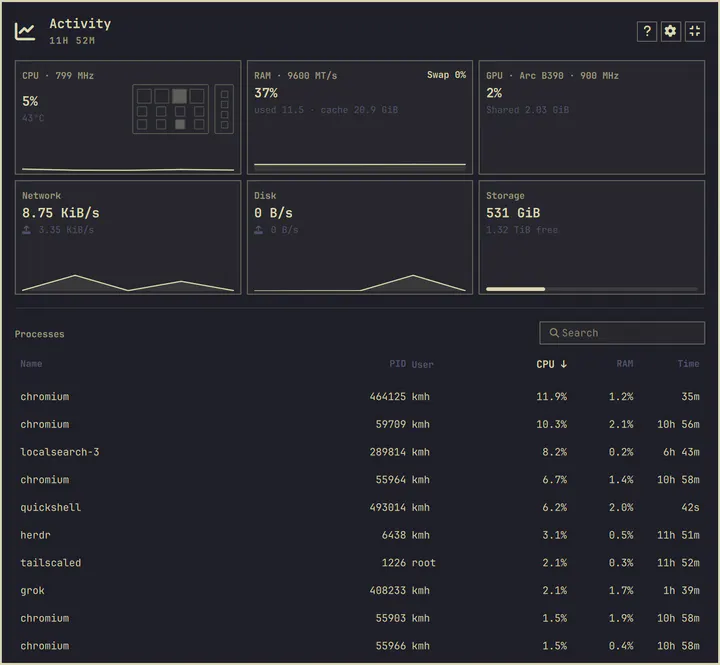
Activity Monitor preview

Activity Monitor

A calm, low-overhead glance at CPU, memory, GPU, storage, and processes — with a die that matches your chip

omarchy plugin add https://github.com/stappmus/omarchy-activity-monitor.git --enable

A ranking is not an endorsement or a safety review. Inspect the plugin yourself and install it at your own risk. Read the full note

Marketplace counts

How they compare

These bars are raw public counts for these two plugins, not the ranking itself. Install-command copies count most. Freshness is how recently the repository was updated. Combined scores in this category: Hardware Tooltip 0.955, Activity Monitor 0.933 (2.3% apart). How the ranking is calculated

Copies 729 706
Hearts 46 29
Stars 4 29
Views 1,800 2,369
Freshness 96% 99%

Other categories

See all picks
